
There's a specific kind of dread that hits an AP team when a supplier calls asking where their payment is — and nobody can say for sure. Was the bank account current? Did the batch even go through? Is it sitting in some queue waiting for someone to notice it bounced? For a lot of finance teams running Oracle Fusion, this isn't a hypothetical. It's a Tuesday.
Sending money to the wrong or outdated bank account is one of the most expensive, most avoidable mistakes in Finance. It's not usually fraud or negligence — it's just the natural result of a process that has too many manual handoffs and not enough visibility. Someone runs a batch, someone else is supposed to check if it cleared, and if that second person is out sick or juggling five other things, a rejected payment can sit unnoticed for days.
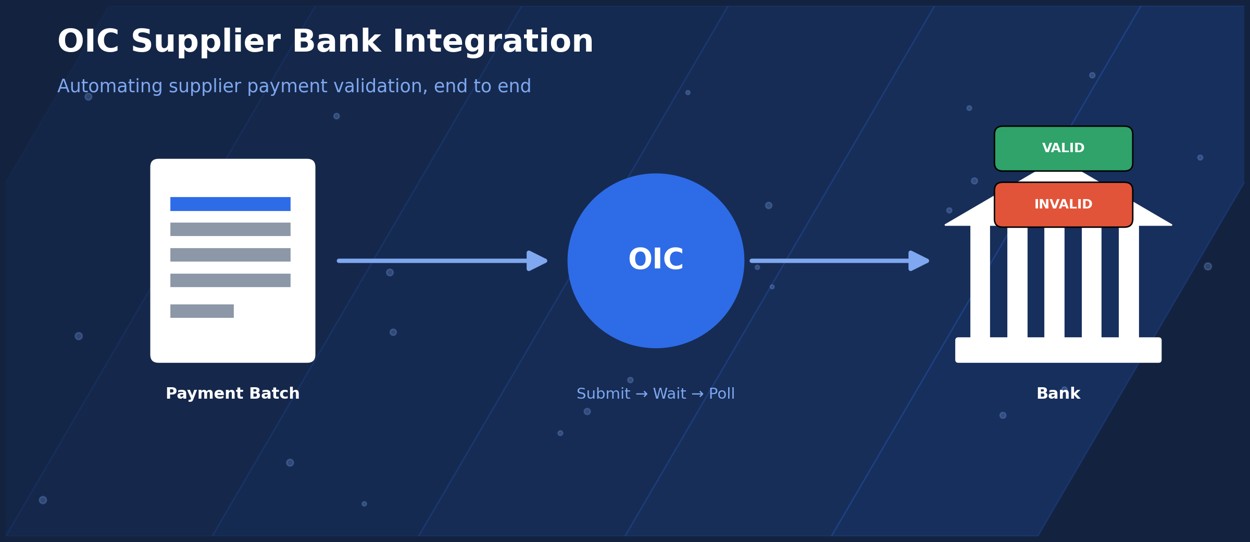
We recently built an Oracle Integration Cloud (OIC) flow for a client that closes this gap entirely. It takes the payment batch, submits it to the bank, checks on its status automatically, and updates every single payment record in Fusion based on what the bank says — no spreadsheets, no manual follow-up, no one babysitting a batch to make sure it landed. Here's a walkthrough of how it actually works, because the pattern behind it is worth understanding even if you're not building this exact integration.
The Problem With “Send and Hope”
Most AP payment processes still work like this: generate the file, send it to the bank, and assume it went through unless someone tells you otherwise. That assumption is where things go wrong. Banks don't always validate instantly, and when a payment fails — because an account was closed, a routing number changed, or a supplier simply gave you outdated details — that failure needs to make it back into your system of record quickly. Otherwise you're reconciling by hand weeks later, or worse, a supplier flags it before you do.
The integration we built treats this as a two-part problem: get the payment to the bank, and then go back and actually confirm what happened to it. That second half is the part most manual processes skip.
Step 1: Generate and Submit the Payment File
The flow runs on a schedule — no one has to remember to kick it off. When it fires, it pulls payment header details for every eligible payment, but with one important filter: it only grabs payments where a specific descriptive flexfield (DFF) is still null. That single condition does a lot of work, because it guarantees a payment that's already been processed never gets picked up and sent twice. Duplicate payments are their own special nightmare, and this quietly prevents them from the start.
Once the eligible payments are identified, a BIP report extracts the data and stages it as a file. The flow then generates an access token so it can authenticate with the bank for what comes next.
Step 2: Hand the Batch to the Bank
With the token ready, the integration builds the outbound payload from the staged data and posts the entire batch to the bank in a single call. At the same time, it writes an entry into a staging table that records exactly what was submitted and when. That staging record matters more than it might seem — it's the thing that lets the flow (and anyone auditing it later) know precisely which batch is being tracked through the rest of the process.
After the batch goes out, the flow doesn't immediately ask “did it work?” It waits. Banks need a little time to actually process a batch before they can give a meaningful answer, so a deliberate pause is built in before the flow checks back in. This is a small detail, but it's the difference between a flow that works reliably and one that constantly gets premature “pending” responses because it asked too soon.
Step 3: Check Back In
After the wait, the flow polls the bank for a status update — specifically, how many payments in the batch came back valid and how many came back invalid. This single response is what drives everything that happens next; the counts determine which of two branches the flow takes.
This step also has its own dedicated fault handler. If the status check itself fails — maybe the bank's API times out, maybe there's a network hiccup — that failure gets caught and logged on its own, rather than crashing the entire integration. That distinction turns out to be one of the more important design choices in the whole flow, and we'll come back to it.
Step 4: Deal With the Payments That Failed
If the invalid count comes back above zero, the flow inquires on those specific rejected payments and loops through them one at a time. For each one, it looks up the payment ID and updates that payment's DFF to reflect its rejected status.
This is really the whole point of the integration. Instead of a rejected payment disappearing into a “we'll deal with it eventually” pile, it's immediately and visibly flagged inside Fusion. The AP team doesn't have to go looking for problems — the problems announce themselves, attached to the exact record that needs attention, ready to be corrected and resubmitted.
Step 5: Confirm the Payments That Succeeded
In parallel, a second branch checks whether any payments came back valid, and if so, loops through each of those the same way — updating each payment's DFF to reflect that it was confirmed by the bank.
Keeping the valid and invalid paths as two separate branches, each with its own loop, is a small structural choice that pays off in clarity. Nobody has to untangle a single mapper trying to handle two different outcomes at once. Each branch does one job.
Step 6: Handle Failures Without Taking Down the Whole Flow
A lot of integrations fail the same way: one error happens somewhere in the middle, and it takes the entire run down with it. This one is built differently. Fault handlers sit at the key scopes throughout the flow — not just at the very end — so a problem in one part, like the status check, gets caught and logged without stopping payment processing that's already underway elsewhere. A default fault handler captures whatever wasn't specifically anticipated and logs the relevant error details.
This matters more than it sounds like it should. An integration that's scheduled to run unattended needs to survive its own bad days. If a single failed API call can take out an entire batch run, you haven't actually automated anything — you've just moved the manual babysitting from “checking if it ran” to “checking if it crashed.”
Step 7: Tell People What Happened
Once everything's processed, a notification goes out to the AP team summarizing the run: batch submitted, valid count, invalid count. Nobody has to go dig for this information — it lands in their inbox.
And because every payment's outcome now lives directly on its DFF in Fusion, a reconciliation report can be run at any point afterward, showing the full lifecycle from batch submission to final status. That becomes the audit trail for supplier payment controls, without needing a separate tracking spreadsheet or a second system just to keep tabs on the first one.
The Flow, End to End
Here's the whole thing laid out — seven steps, two branches, one clean handoff back into Fusion.
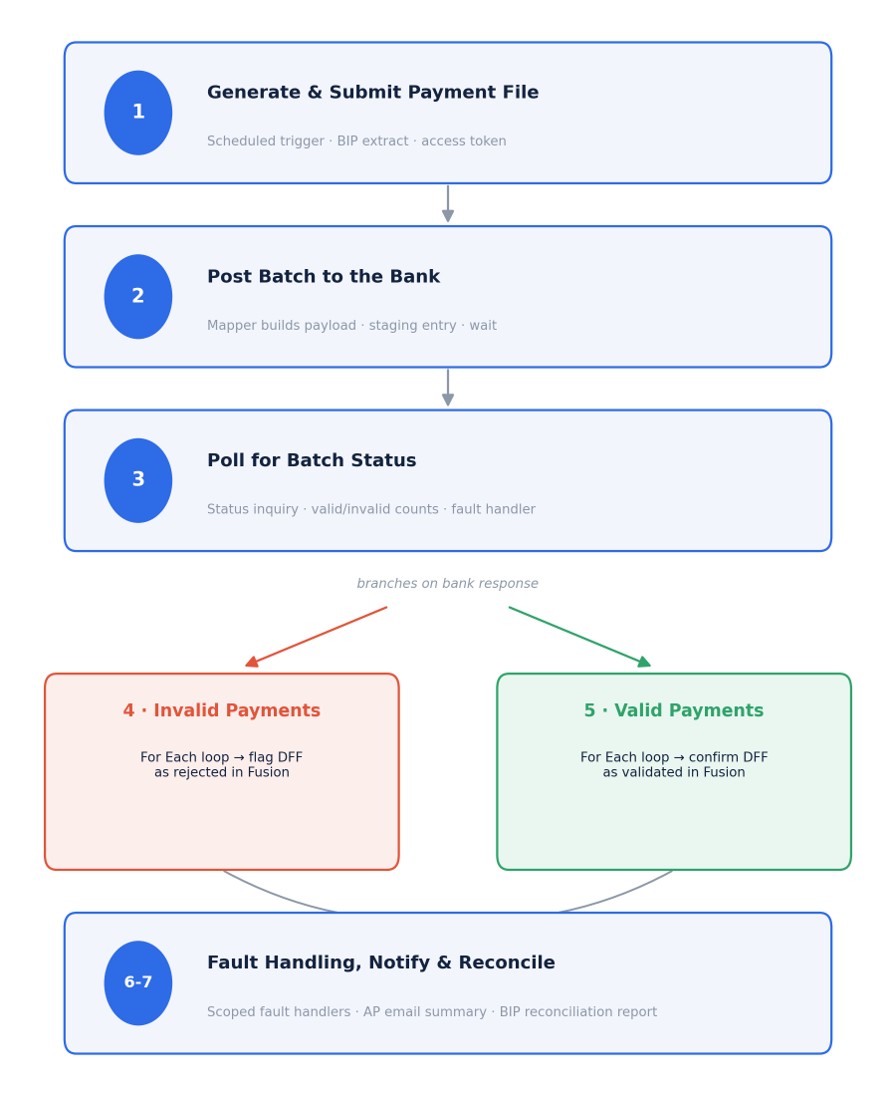
| Step | What Happens | Fusion Update |
|---|---|---|
| 1 Generate & Submit | Scheduled trigger pulls eligible payments (DFF still null), BIP report stages the file, access token generated | Payment queued for processing |
| 2 Hand to the Bank | Payload built from staged data, posted to the bank, staging table entry recorded, deliberate wait before checking back | Batch submitted & tracked |
| 3 Poll for Status | Status inquiry returns valid / invalid counts; dedicated fault handler catches API failures | Determines which branch runs |
| 4 Invalid Payments | For Each loop over rejected payments, looks up the payment ID | DFF updated to Rejected |
| 5 Valid Payments | For Each loop over confirmed payments, same pattern in parallel | DFF updated to Confirmed |
| 6 Fault Handling | Scoped fault handlers at each key step, plus a default handler for anything unanticipated | Errors logged, run continues |
| 7 Notify & Reconcile | Email summary sent to AP team; reconciliation report available on demand | Full audit trail, no spreadsheet |
What Actually Makes This Reliable
If you zoom out, the interesting part of this integration isn't really the bank call itself — plenty of integrations can post a file to an API. What makes this one dependable enough to run unattended, on a schedule, without someone watching it, is the batch-and-poll pattern wrapped around that call: submit once, wait long enough for the bank to actually process it, check status, and then branch cleanly into separate valid and invalid paths, each with its own loop and its own fault handling.
It's a pattern that shows up constantly in integration work — anywhere you're dealing with a third-party system that processes things asynchronously, you need this same submit-wait-check-branch structure, not a naive fire-and-forget call. Get that pattern right, and the rest of the flow more or less takes care of itself.
For a finance team, the payoff is straightforward: fewer payments quietly falling through the cracks, faster visibility into what failed and why, and an audit trail that exists automatically instead of being reconstructed after the fact when someone finally notices something's wrong.
If your team is still manually verifying supplier payment batches after the fact, it's worth asking how much of that could be handled the same way — submit, wait, check, and let the system tell you what happened instead of the other way around.
Need an OIC bank integration built for your Fusion environment?
Nexlify Technology builds these end to end — reach out and we'll walk you through what it would look like for your setup.
Get in touch